This weekend, I had hoped to work on a new color scheme for Quick Times Tables, but I only had a bit of time to make some updates. So, I focused on two small but important enhancements for version 1.2.
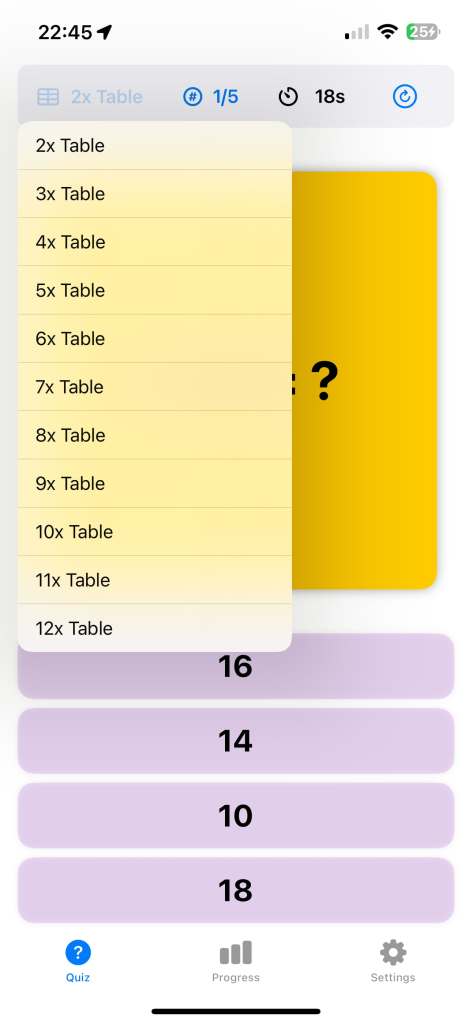
The first update allows you to change the times table and number of questions directly from the quiz page’s status bar. This improvement came from a suggestion made by my wife. It’s such an obvious feature in hindsight, but somehow I didn’t think of it when building the first version. Perhaps my daughter and I should recruit her as our official project manager!
The second update is a new timer that shows the elapsed time in seconds during the quiz. Initially, I wasn’t sure if this feature was necessary, as I thought it might be distracting. But after thinking it over, I realized it could be very useful for children aiming to improve their speed. If you find it distracting, don’t worry—you can hide the timer in the settings if you prefer.
Hopefully, I’ll have more time next weekend to work on the color scheme. Maybe I’ll even add a fun “monster” theme, as my daughter suggested!
This week, Char and I officially began working on our new game, Super Cat Hop. My main task has been learning how to use SpriteKit, a native game development framework for iOS. Last year, we tried using Unity to build a simple game together, but the process of deploying it to the App Store was a big hassle 😮💨 . As some of Unity’s libraries track user data, which make the privacy policy very complicated. Therefore this time, I decided to go with iOS’s native game framework to avoid these issues.
Hey O1, make me a game!
Since SpriteKit is new to me, I thought I’d test the waters by exploring AI’s ability to generate a basic game prototype. I provided a very detailed prompt with the game’s logic, scoring system, and mechanics to OpenAI’s O1 model, but unfortunately, the result didn’t work as expected. The generated game had issues with jumping mechanics and block movement (I guess the game logic might still be a bit challenging for LLMs at the moment). So I went back to learning SpriteKit from scratch.
First SpriteKit Fun
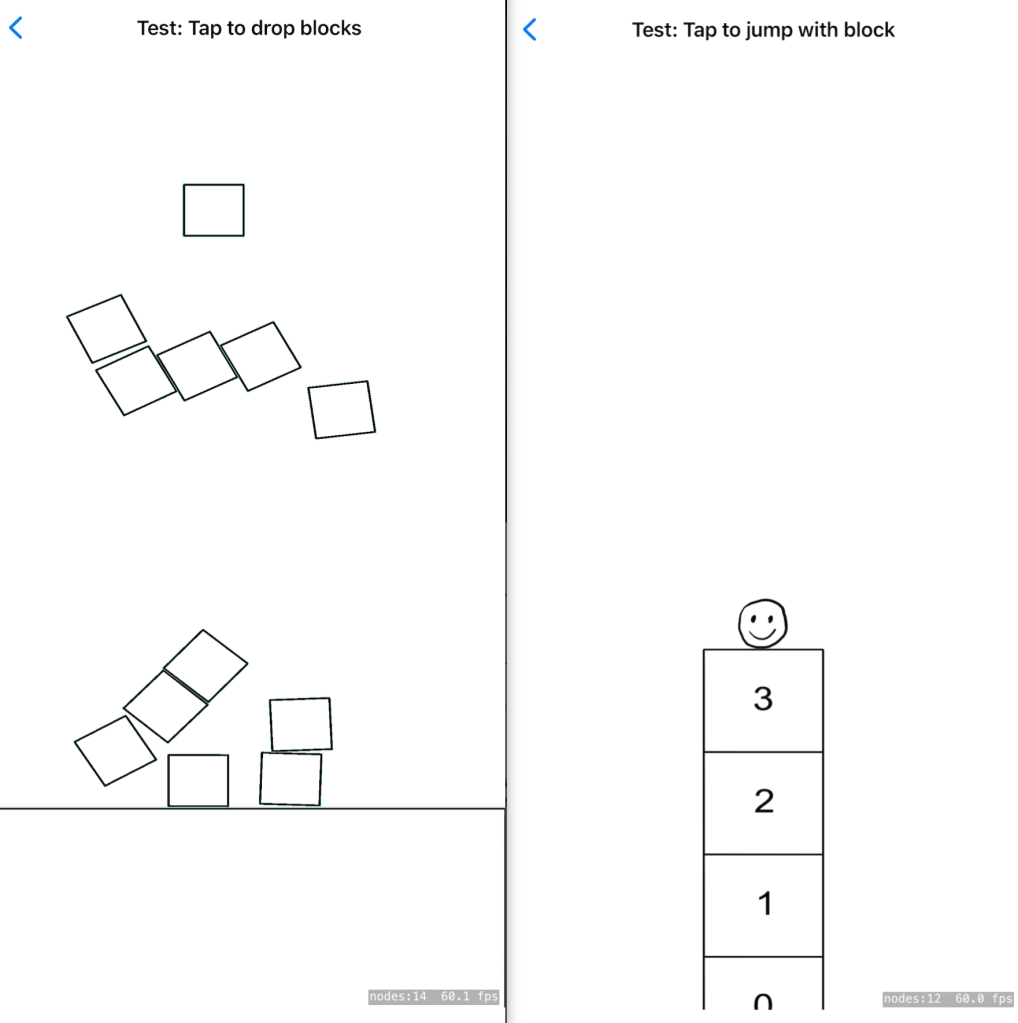
I started with the basics—drawing sprites and adding animations. The process felt pretty straightforward, and I was impressed with the physics system in SpriteKit, which allows you to create interactive elements quickly. I had a lot fun of play blocks with the physics system.
However, I think that for Super Cat Hop game, the physics system might be more complex than necessary. Instead, I’ll use traditional math-based rules to control the cat and blocks. Below is an example of my second attempt. I added a simple animation of a smiley face and implemented the core jumping logic. Each time the player taps the screen, the cat hops, and blocks appear on the screen.
The mechanics are coming together, but the hardest part will likely be the graphic design. I’m not very good at drawing, so my task for next week is to work on improving the visuals. Meanwhile, Char is focusing on designing the game’s characters and background. We’re aiming to have a prototype ready by next week, and I’m excited to see how it all comes together.
As my Char continues preparing for her 11-plus exam, one of the areas she’s focusing on is Verbal Reasoning, which includes tricky letter sequencing questions. These questions ask her to identify patterns in a sequence of letters, like figuring out what comes next in a series such as A, C, E (the answer is G, by the way 😉).
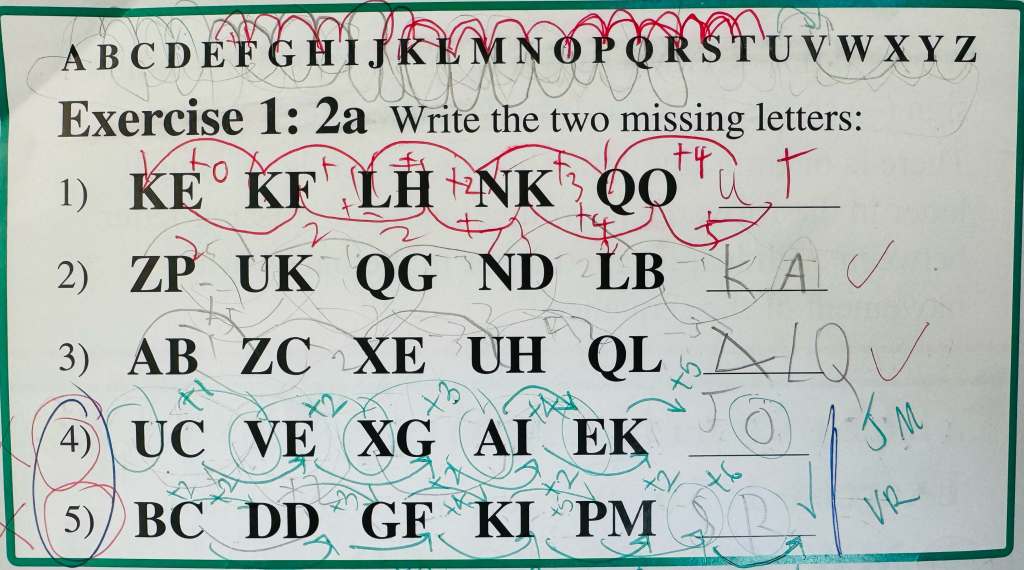
Although I don’t find these questions particularly hard, I noticed that Char takes a lot of time to solve them. Part of the challenge is that she often has to write down the entire alphabet and draw arcs to figure out the patterns. But as she works through several exercises, the repeated writing and drawing becomes messy, and the overlapping arcs can make it hard to see what’s going on. This can even lead to mistakes, even when she’s reasoning correctly.
That’s when we decided to build an app to help simplify this process. We call it Letter Sequence Buddy, and it’s designed to save time and make the analysis of letter sequences clearer.
Letter Sequence Buddy
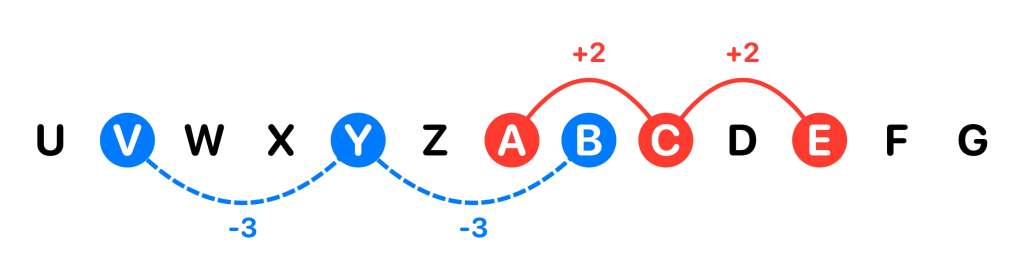
Letter Sequence Buddy is very straightforward. It displays a sequence of alphabet letters in order, right in the middle of the screen. You can scroll through the letters left or right, and to highlight a pattern, you just tap on a letter and then tap on the next letter. The app automatically draws an arc between the two letters and shows the distance between them, simulating how my daughter would manually draw arcs.
For more complex patterns, we’ve added a dual-color feature. You can switch between red and blue arcs, with red drawing arcs above the letter sequence and blue drawing them below. This makes it easier to separate overlapping patterns, like one sequence going forward and another going backward, so it’s clear which patterns belong together.
While it would have been easy to include an option that automatically provides the answers, I made a deliberate choice not to do that. I want this app to be a tool that saves time by helping children quickly visualize letter patterns, but I still want them to work out the reasoning on their own. It’s important that the app doesn’t take away the challenge but instead enhances the process of solving the problem.
We’ve just submitted Letter Sequence Buddy to the App Store, and I’m happy to see that Char is already using it and making good progress in her Verbal Reasoning exercises. If you or someone you know struggles with analysing letter sequences, this app could be a great tool to help save time while working through the reasoning process.
It’s been a week since we uploaded our first app, Quick Times Table, to the App Store. Initially, we didn’t expect any downloads at all since the app is so simple. But to our surprise, we saw around 50 downloads! This really motivated both Char and I, and we’re excited to keep improving the app. (hopefully those downloads aren’t all bots 🤖 !)
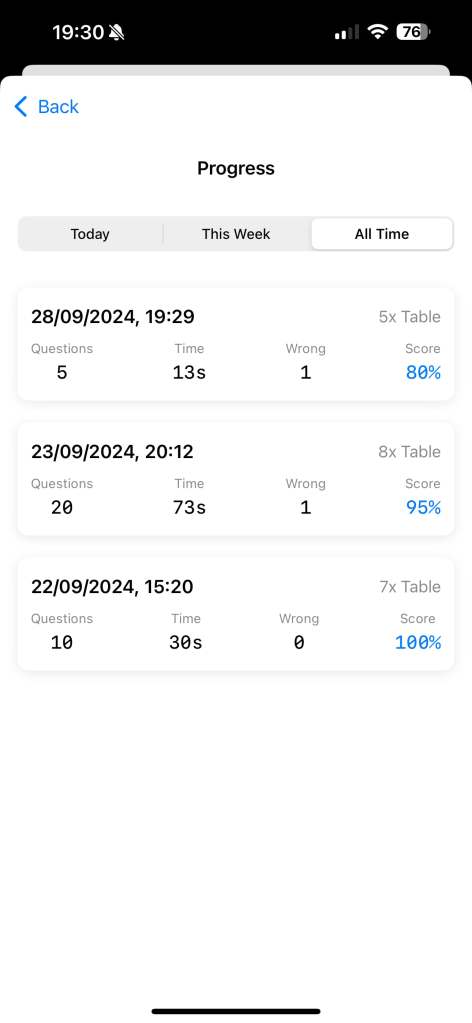
One of the main improvements we’ve been working on is progress tracking. To me, progress tracking is one of the best ways to motivate study. It’s satisfying to see your results and skills are improving over time; you can answer more questions faster. In the first version, we didn’t save any question results, but now we’ve added logic to store the results, so users can track their progress.
We’ve also made two smaller updates:
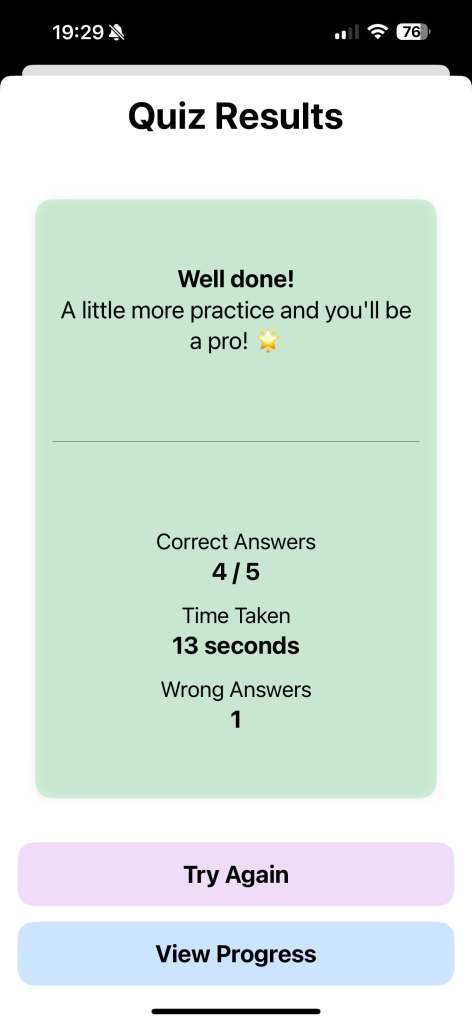
UI Improvement with Encouraging Messages: Previously, at the end of each exercise, the app only showed the results and score. Now, we display an encouraging message based on performance. If you do well, the app praises you for being a “brilliant star.” If you didn’t do so well, the app offers motivational words like “Keep practicing, you’ll get there!” Hopefully, this will encourage users to keep trying and improving.
Bug Fix: We discovered a bug while using the app ourselves—if the app was switched to the background, the timer continued counting. We’ve fixed this in the latest version so that the timer pauses when the app is in the background and resumes when it’s brought back.
The new version has already been reviewed and approved by the Apple App Store. Looking ahead, there are a few more features I want to add. First, I’m thinking of introducing a colour theme changer to liven up the UI, as the current colour scheme is starting to feel a bit dull. I’d also like to add a drill practice mode for wrong answers, which I believe will really help children improve their skills by focusing on the areas they need to work on.
In September, when Char returned to school for Year Four and began preparing for her 11-plus exam, we noticed that she was doing reasonably well with her times tables, but there was room for improvement in terms of speed. She could answer the questions, but it took her a bit of thinking time. Naturally, I wanted to help her practice more efficiently and get quicker at solving these questions.
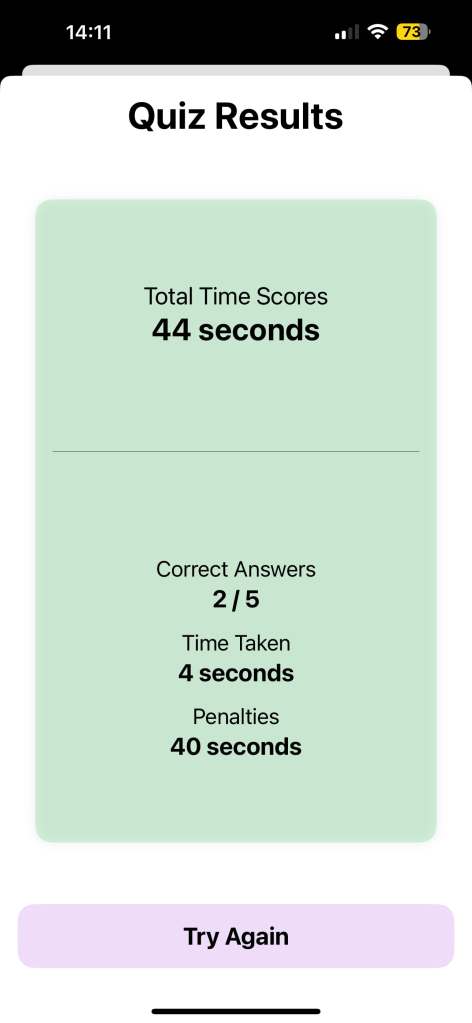
We looked at several options and discovered that practicing times tables in a game-like format was much more engaging. We found a times table card game that turned practice into a fun challenge. Char and I would take turns answering times table questions within a time limit, adding penalties for wrong answers and keeping score to see who could get the most correct answers. This method was not only fun, but it also kept her interested in practicing regularly.
However, the physical cards were a bit of a hassle to shuffle and deal with, and while writing out questions on paper worked as well, it didn’t quite capture the same level of fun. That’s when we had the idea to create a simple app that would simulate this times table card game.
After a lot of discussion, Char and I decided to build two apps: one that’s quick and simple to use, and another that’s more fun and engaging. I would take the lead in designing the first one, which we’re calling ⚡️ Quick Times Table , and she would lead the design of the more fun version (the current name is 👹 Monster Times Table ).
Quick Times Table
Quick Times Table is a no-frills app, designed for parents and children who want to squeeze in a quick practice session when they have a few minutes to spare. With just a couple of taps, users can select the times table they want to practice and set how many questions they’d like to answer. Once the practice is done, the app shows the results, and that’s it—no extra features, just a fast and easy way to practice.
We’ve just submitted the app to the App Store and are excited to see how it will be received. Moving forward, we plan to add features that will make the app more useful, such as progress tracking and drills for practicing any wrong answers. Our goal is to keep the app simple (i.e. no monsters 👹), but effective in helping children improve their times tables.
This the the Yue&Char Games’ first app project. We hope to build something useful for day to day parenting life. Let me know if you’d like to make any changes or additions!

 Yue & Char, Games