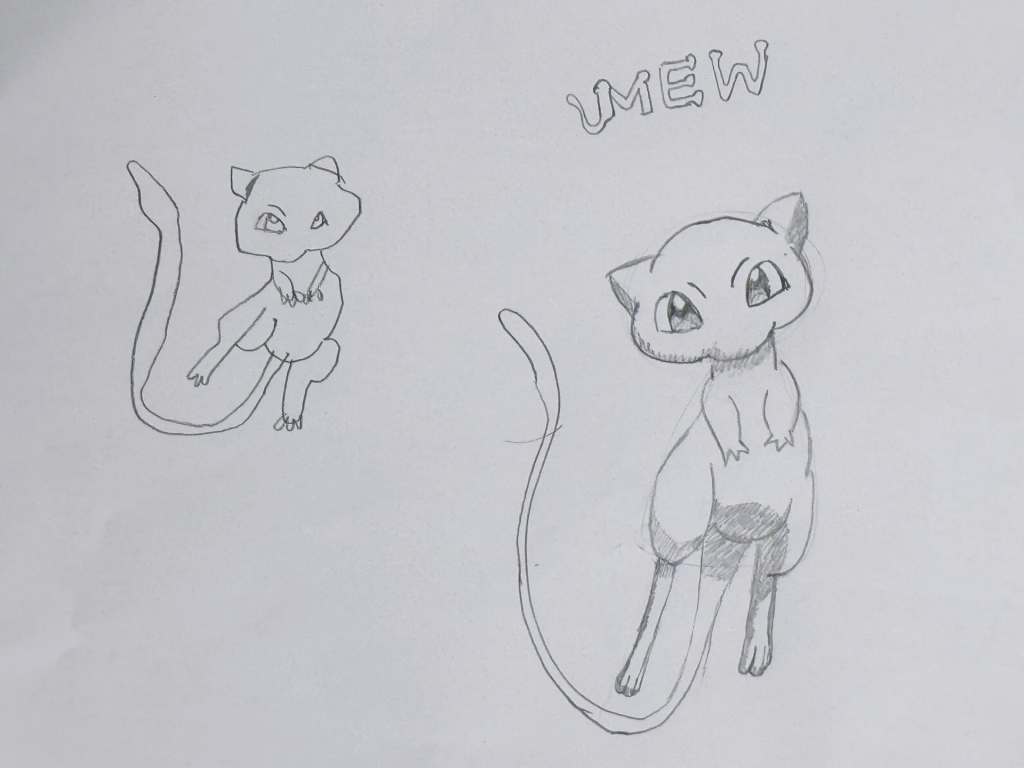
Recently, Yue and I started a fun new project we call “Drawing Duos.” The idea is simple: each day, I pick a character to draw together, and we each do our best to recreate it. The goal is to practice our drawing skills, spend some creative time together, and enjoy the process.
There’s no competition, just teamwork (well maybe a lot of comparison😜)!
For our first Drawing Duo, we chose an iconic and memorable Pokémon: Mew. I got this from the a big thick Pokédex book.
Hi everyone! Yue and I recently finished another cool LEGO SPIKE project together. This time, the background story was about a character who was sleeping out side for the first time. The character wanted to see the moon at night, so we decided to build a treehouse with a roof that could open and close.
The treehouse has a really clever design! We added a camera to it, and here’s the fun part: when the camera sees black (nighttime), the roof opens so the character can see the moon. When it sees blue (daytime), the roof closes and shows a picture of a forest den.
The most fun part was building the treehouse. But honestly, I think I liked some of our other SPIKE projects more because I couldn’t program this one to go crazy! It just opens and closes, and I like it when things can move around and do funny things. Still, it was pretty cool.
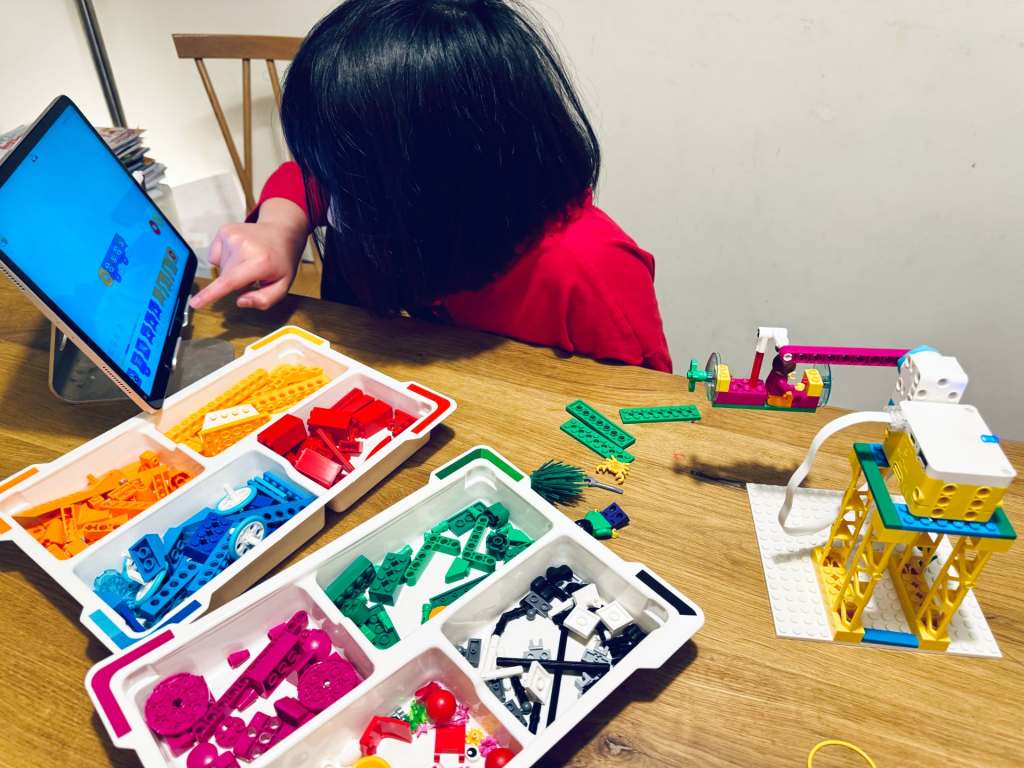
This time, Yue and I built the super cool LEGO SPIKE Underwater project. I cannot remember the background story, but we need to push a submarine into the water. Instead of just pushing it into the “water” like our first project (a boat), we made it more exciting—like a theme park ride!
I created a spinning machine that could not only push the submarine but also make it go round and round and round. It was so fun to watch! When I programmed it, I made three speeds: slow, medium, and fast. The fast mode was so crazy that the entire base plate started to shake! I had to stop it because it was going crazy!
The most fun part in all LEGO Spike projects? For me, it’s always when I program the LEGO projects to do something wild and unexpected. Watching them go out of control is hilarious!
The theme we chose was “a ship sailing over the sea.” Each of us came up with our own storyline. My version is a ship bravely sails through the waves, but disaster strikes! A giant wave crashes into the ship, breaking it into pieces and washing it away.
Char’s version is Pikachu is at the helm, sailing confidently until the ship crashes near an island. Pikachu wakes up, finds himself ashore, and pulls the boat to safety on the island.
It was a great fun experience capture the stop-motion frames with our LEGO pieces. After reviewing the initial shots, I realised the background was too messy. To fix it, I added a filter to give the video a ‘The Great Wave’ look. I also experimented with sound effects, like adding the sound of waves, to make it more realistic. Which one do you like better: the dramatic shipwreck or Pikachu’s adventurous journey?
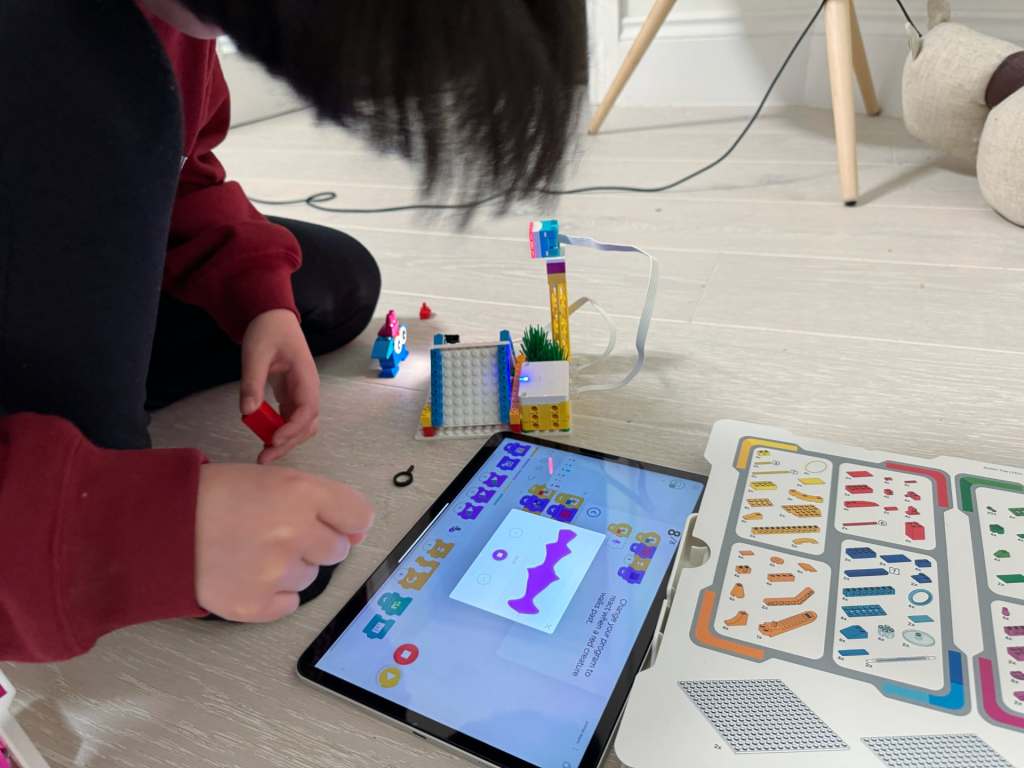
Hi everyone! I want to tell you about our new awesome LEGO SPIKE project that I built with Yue. We worked on something super fun—a camping animal alarm!
The idea behind this project is that a camper goes on a camping trip, and at night, he wants to see what animals are sneaking around his tent. To help him, we built a special animal alarm. It can light up and even make sounds to scare the animals away, which later ends up as a light show😜
We built this using LEGO Hub with two switches. One switch connected to a light, and the other connected to a camera. The camera could “see” animals, and when an animal with a certain colour passed by the camera, the light would shine. Later, I recorded some sounds to make the alarm even better.
The best part was creating multicoloured creatures and seeing how the alarm reacted. When I held up my colorful creature in front of the camera, it played all kinds of sounds. For example: “This is a green creature, … This is a red creature, … This is a yellow creature!”
Another thing I loved about this project was the counter. It showed how many creatures passed by using a bar chart. For each new creature, the chart added a color. It was so cool to see the project count and record all the colourful animals!
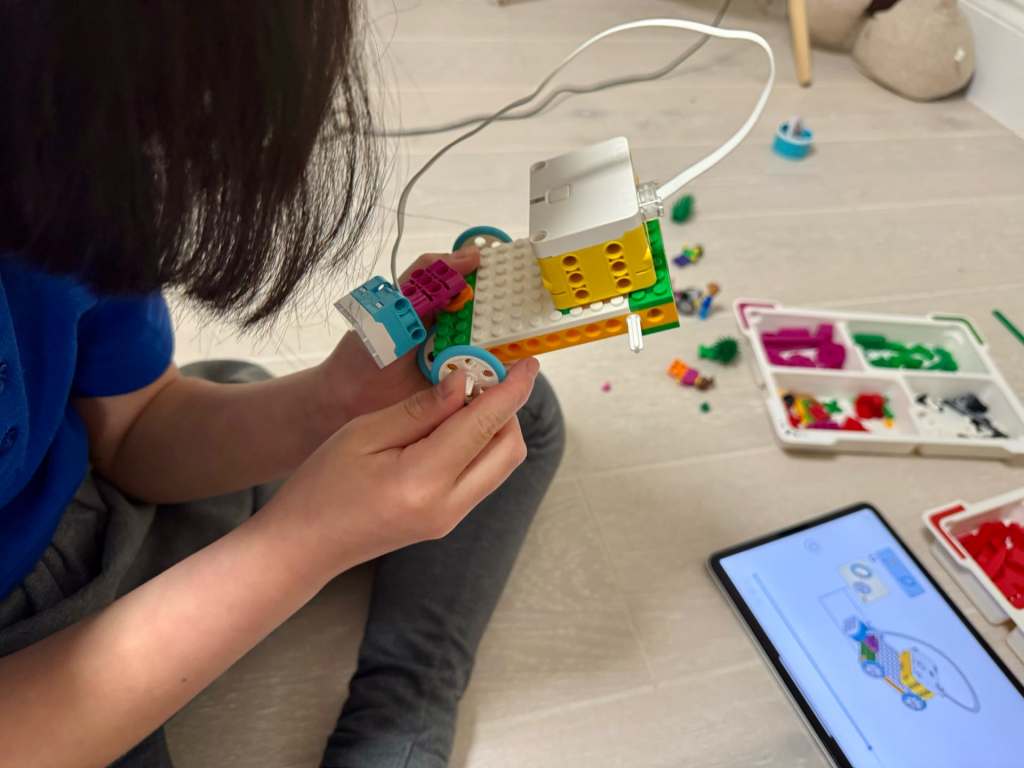
Our third Lego project is a car that can explore caves! The story goes like this: a guy wanted to go into a dark cave, but he couldn’t see anything. So, he decided to build a car with a light on it to help him find his way in the dark.
Building the car was fun, but there was one small problem. We only had one LEGO Spike hub, which is the part that gives energy to the car. So, we could only use the hub to make the light work, but we had to push the car ourselves because the wheels couldn’t move.
But here’s where it gets super cool! I discovered something AMAZING about the lights. Did you know you can tap on the lights and change the colors? Each panel of the light can be a different colour! I showed my Yue, and he was so surprised because he didn’t even know about it. Ha, I taught him something (twice! 😄)
Okay, let me tell you about the BEST part! If you take the light, add a randomiser, and put them together in a loop, you can make it flash in all sorts of colours. It looks soooo good! It’s like a little light show! And that’s a reason I really like this project.
Yesterday, our new LEGO Spike set finally arrived—yay! We couldn’t wait to try it, so my dad and I decided to build the first project: The Boat Trip. It’s all about these two little LEGO characters who are super excited to go on a boat ride! But there was a problem… what would push their boat into the pretend water?
One of the characters had an idea—let’s build a boat-pushing machine! So my dad and I got to work. First, we used the LEGO battery hub and connected it to a spinny thing (Yue: that’s called Motor). We added some special code blocks to make the spinny thing push the boat into the pretend water. It worked! The boat went right in—splash!
But we didn’t stop there! I thought, why not make it even more fun? The boat had holes in it, so we put the boat on a connector piece and used more code to make it spin like a theme park ride. The characters were spinning around!
Seeing the characters whirl around was so exciting! We did it together, and it felt like a real success. I can’t wait to try even more ideas with our LEGO Spike set.
It’s been a while since Char and I worked together on our apps and games. Both of us have been busier than usual—I’m wrapping up end-of-year projects at work, and she’s been busy with her 11-plus tuitions. As a result, we haven’t had as much time for our ‘YueChar.Games’ coding sessions, which I’ve missed.
While planning our return to app and game development, I took a closer look at what made it challenging last time around. We had a lot of fun brainstorming ideas and discussing designs, but there were two main obstacles we encountered.
First, the projects we attempted were often complex for my daughter. At her current skill level, it was difficult to manage all the details involved. While we enjoy learning, it became hard to keep up.
The second challenge was balancing coding and design. Char was deeply involved in the design aspects, but I handled most of the coding. I wanted her to develop computational thinking and problem-solving skills, but often the actual coding fell outside her comfort zone.
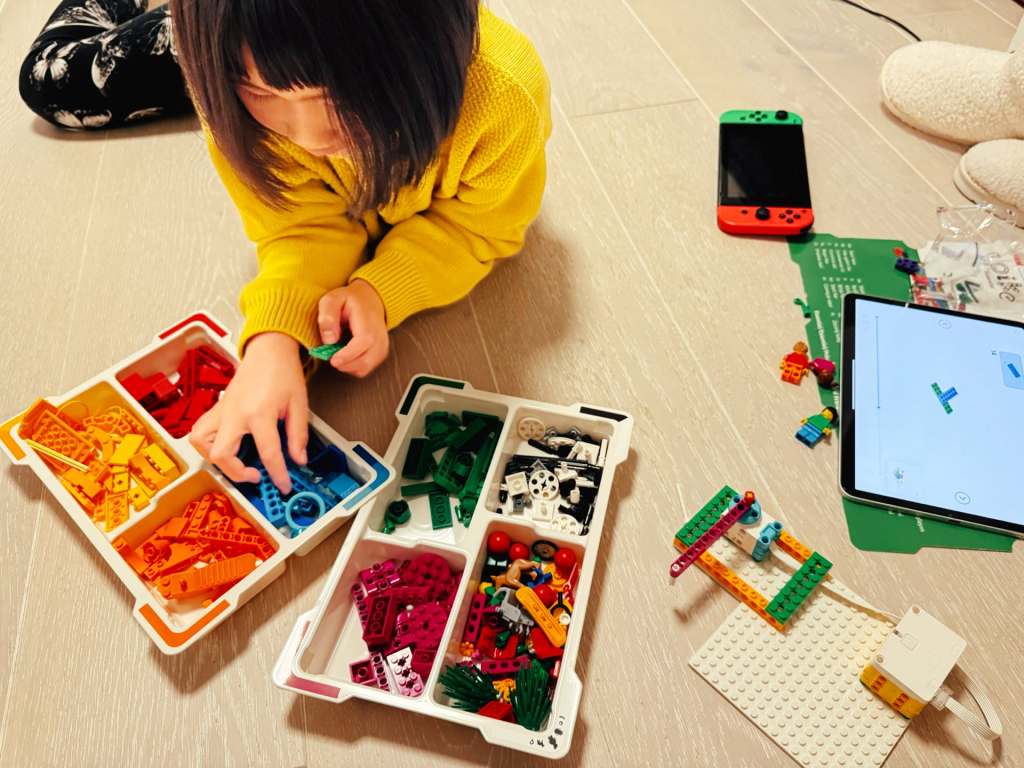
That’s when I decided to try the LEGO SPIKE Education set. Char has always loved building LEGO sets and has put considerable time and effort into creating her own beautiful designs. The SPIKE set could take her LEGO experience to a new level by introducing motors, sensors, and programmable hubs, plus a child-friendly, Scratch-like coding interface designed for young learners.
The examples in the SPIKE Essential set are fun, but admittedly a bit ‘toyish’. My plan is to start with these basics to get Char comfortable, and then gradually extend them into more practical, real-world projects with the Prime set. I hope this will offer her another fun way to problem-solving and coding activities.
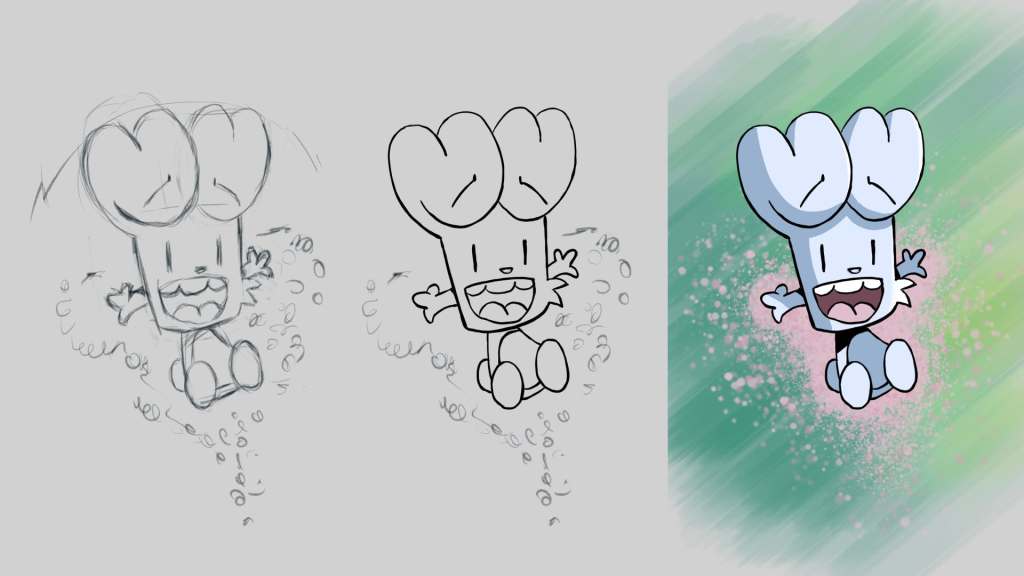
After nailing down the basic game logic for Super Cat Hop with SpriteKit, I hit an interesting challenge this week—turning Char’s “awesome” 😹 character drawings into fun, animated characters for the game! I quickly realized that, although I’m pretty good at coding, my drawing skills needed some serious work. So, I took some actions to dive into the world of 2D game art design.
The good news is that I didn’t need to become a master artist—just being able to create simple comic-style characters with bold edges and bright colors would do the trick. I started exploring some free tools and landed on two great options: Grease Pencil from Blender and Krita. While both were awesome, I went with Krita because it reminded me of the traditional drawing apps like Photoshop that I’m a bit more familiar with.
But before I switched to Krita, I gave Grease Pencil a try. I took my Char’s drawing, traced it, and added some colors. The Sculpting tool was cool—it let me move lines and points around to animate the character easily. The animations turned out pretty well, but something about it still felt a bit… off. It wasn’t the tool—it was me! I realized I needed to get better at drawing itself, not just using the tools.
So, I switched gears and started an online drawing course for Krita. After five hours of sketching, outlining, coloring, and shading, I was feeling a lot more confident. For my first practice piece, I drew my Char’s favorite comic, Bunny vs. Monkey. And honestly? It’s one of the best things I’ve ever drawn! Not bad for a beginner!
Once I had some drawing skills under my belt, I went back to Super Cat Hop. I redid the background and simplified my Char’s character, taking inspiration from Bunny vs. Monkey. Instead of detailed hands and legs, we went with a simple triangle body for the character, and it works! I added the game logic from last week, and now we’ve got a basic version of the game where the character hops around.
Next up, Char and I will work on refining the background to make it more original, adding sound, and giving the game a fun title. We’ve decided that instead of aiming for perfection, we’ll wrap this project up soon so we can move on to more fun ideas. With each game we build, we’re learning and getting better—and most importantly, we’re having fun together!
This week, I stumbled across a great video on YouTube—it’s from an old WWDC17 session called “60 Seconds Prototyping“. I thought it would be fun to watch it with Char together, as we’re looking for new ideas to make our next app.
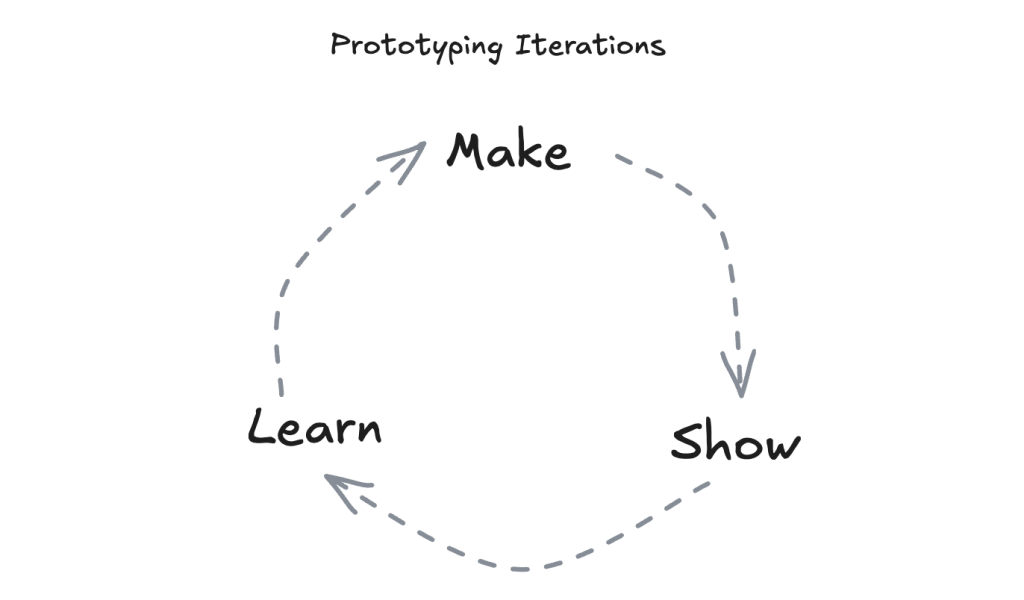
In the video, the presenter showed how you can use Keynote (MacOS version of the Powerpoint) to quickly create an app interface prototype in just one minute. The whole idea behind it was simple—don’t overthink it, just make something, show it to others, and learn from the feedback. I really like this idea, as this was such an easy concept for Char.
Usually, when we’re working on a new app or game idea, Char starts with a drawing on paper, then I jump into coding. But here’s the thing—it can take a while to get the prototype ready, and looking back, I think we could have saved some time by trying quick, simple prototypes at the start.
I hope watching this video helps Chan feel more confident. Sometimes she thinks, “I can’t code, so I can’t make the app,” but this video showed her that even with just paper and a pen, she can prototype! I’m hoping she takes that confidence and starts not only sketching her ideas but also sharing them with friends for feedback—maybe even changing things up before coming back to me for the coding phase.
As for our next project, I’m definitely going to encourage this idea of quick iterations. Instead of trying to perfect the design right from the start, we’ll aim to keep things simple, gather feedback, and improve as we go. 🏃♀️➡️

 Yue & Char, Games