Shortcuts and Timer
This weekend, I had hoped to work on a new color scheme for Quick Times Tables, but I only had a bit of time to make some updates. So, I focused on two small but important enhancements for version 1.2.
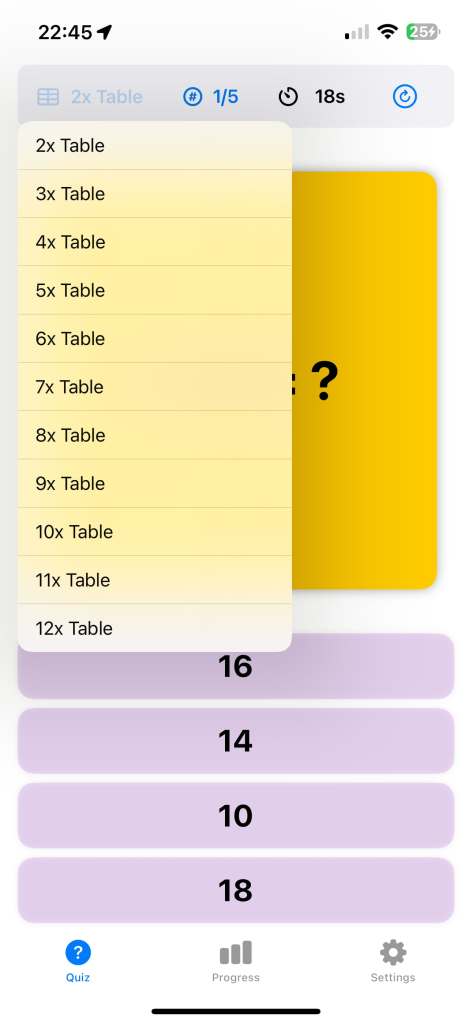
The first update allows you to change the times table and number of questions directly from the quiz page’s status bar. This improvement came from a suggestion made by my wife. It’s such an obvious feature in hindsight, but somehow I didn’t think of it when building the first version. Perhaps my daughter and I should recruit her as our official project manager!
The second update is a new timer that shows the elapsed time in seconds during the quiz. Initially, I wasn’t sure if this feature was necessary, as I thought it might be distracting. But after thinking it over, I realized it could be very useful for children aiming to improve their speed. If you find it distracting, don’t worry—you can hide the timer in the settings if you prefer.
Hopefully, I’ll have more time next weekend to work on the color scheme. Maybe I’ll even add a fun “monster” theme, as my daughter suggested!
 Yue & Char, Games