First Week Updates and Improvements
It’s been a week since we uploaded our first app, Quick Times Table, to the App Store. Initially, we didn’t expect any downloads at all since the app is so simple. But to our surprise, we saw around 50 downloads! This really motivated both Char and I, and we’re excited to keep improving the app. (hopefully those downloads aren’t all bots 🤖 !)
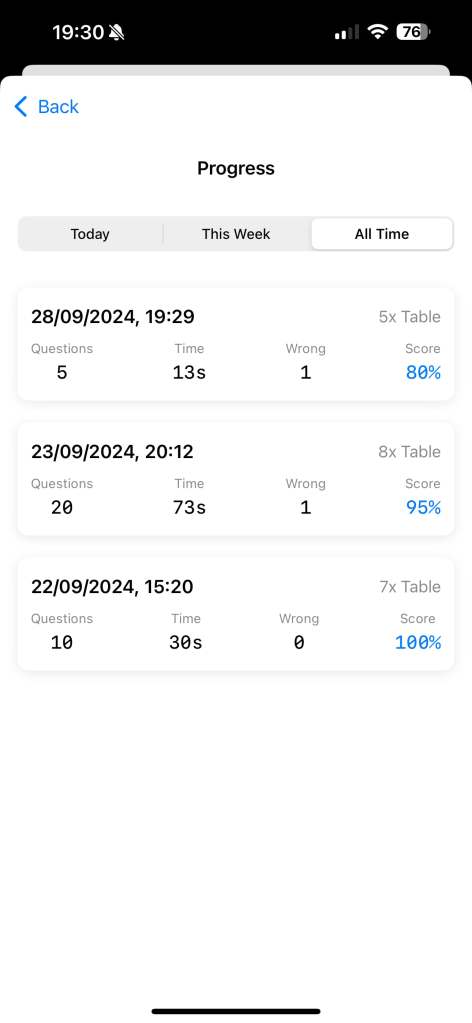
One of the main improvements we’ve been working on is progress tracking. To me, progress tracking is one of the best ways to motivate study. It’s satisfying to see your results and skills are improving over time; you can answer more questions faster. In the first version, we didn’t save any question results, but now we’ve added logic to store the results, so users can track their progress.
We’ve also made two smaller updates:
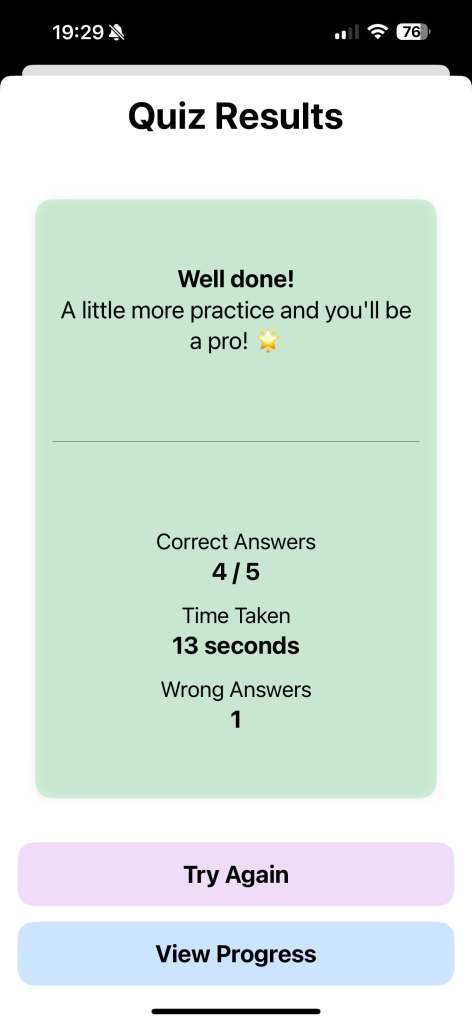
UI Improvement with Encouraging Messages: Previously, at the end of each exercise, the app only showed the results and score. Now, we display an encouraging message based on performance. If you do well, the app praises you for being a “brilliant star.” If you didn’t do so well, the app offers motivational words like “Keep practicing, you’ll get there!” Hopefully, this will encourage users to keep trying and improving.
Bug Fix: We discovered a bug while using the app ourselves—if the app was switched to the background, the timer continued counting. We’ve fixed this in the latest version so that the timer pauses when the app is in the background and resumes when it’s brought back.
The new version has already been reviewed and approved by the Apple App Store. Looking ahead, there are a few more features I want to add. First, I’m thinking of introducing a colour theme changer to liven up the UI, as the current colour scheme is starting to feel a bit dull. I’d also like to add a drill practice mode for wrong answers, which I believe will really help children improve their skills by focusing on the areas they need to work on.
 Yue & Char, Games